

<details class="iva-mobile-toc">
  <summary class="iva-mobile-toc__summary">On this page</summary>
  <nav class="iva-mobile-toc__nav">
    <ul class="iva-mobile-toc__list">
      <li class="iva-mobile-toc__item"><a href="#sign-in" class="iva-mobile-toc__link">Sign In</a></li>
      <li class="iva-mobile-toc__item"><a href="#navigate-edit" class="iva-mobile-toc__link">Navigate to Edit Mode</a></li>
      <li class="iva-mobile-toc__item"><a href="#access-invoices" class="iva-mobile-toc__link">Accessing Your Invoices</a></li>
    </ul>
  </nav>
</details>
Sign In
Access your IAMX account to view invoices and billing information.
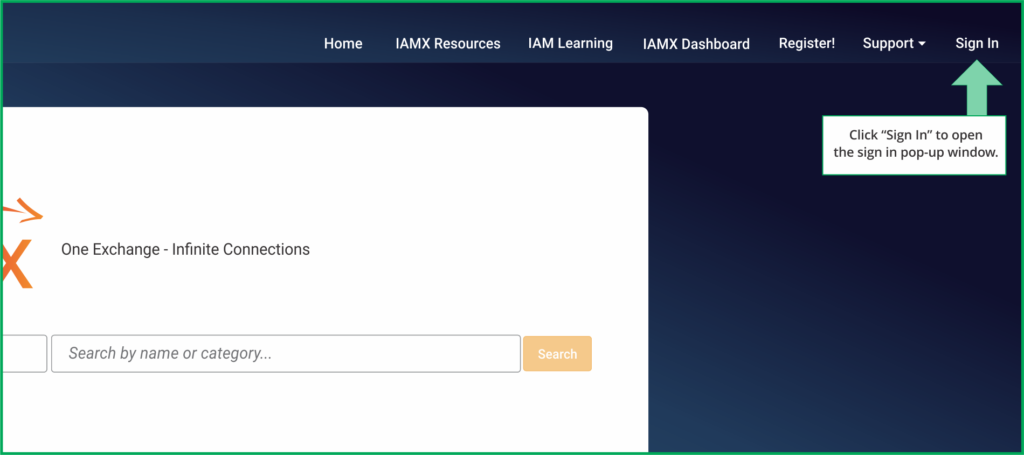
Click the "Sign In" button at the top right of the home page. This will trigger a sign-in pop-up to appear.
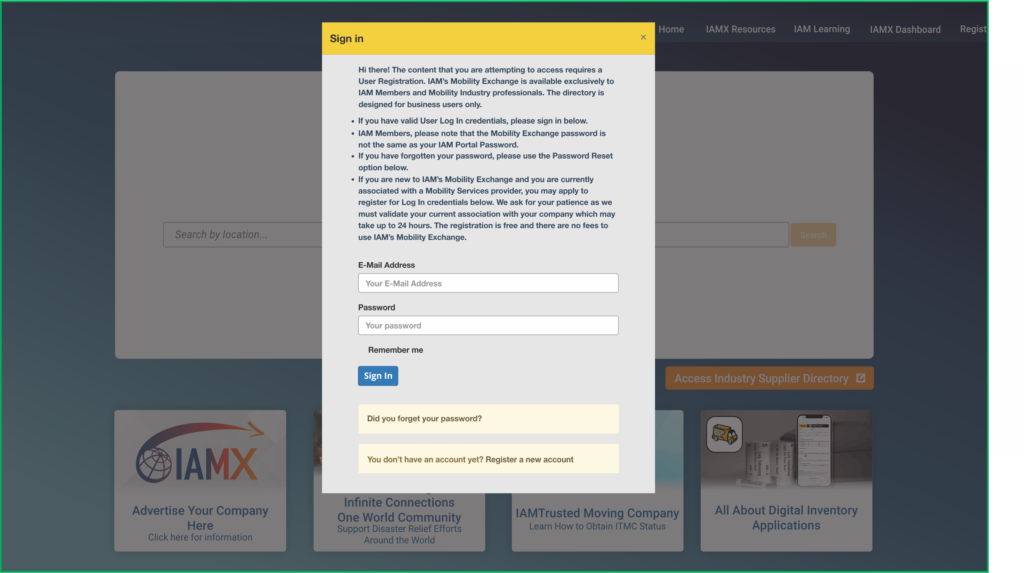
Enter your credentials to sign in. Your username is your email address. If you have forgotten your password, click the "Did you forget your password?" link below the Sign In button.
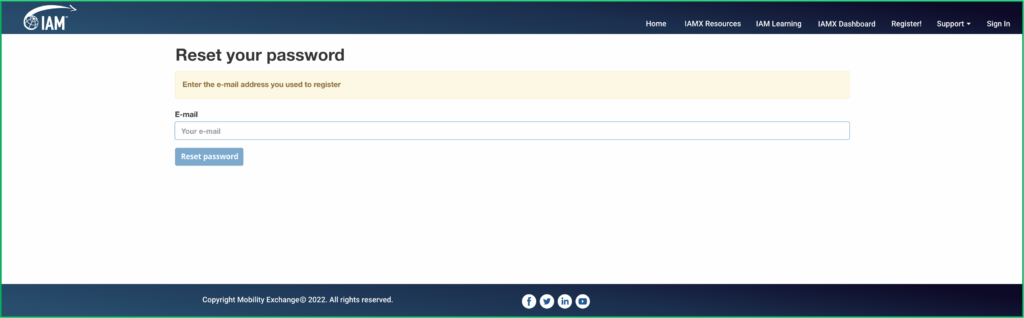
Enter your email address to receive a password reset link. The reset link is only active for 72 hours, so be sure to use it promptly. If it expires, return to IAMX and click "Did you forget your password?" again.
If you do not yet have login credentials, click the "Register a new account" link at the bottom of the sign-in screen.
Navigate to Edit Mode
Use the Admin menu to access your company profile.
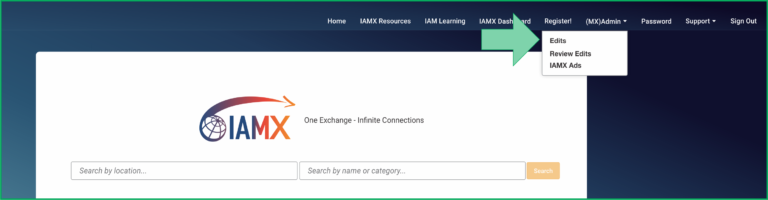
Once signed in, you will see a new "Admin" menu option in the navigation. Click Admin and select "Edit" from the dropdown menu.
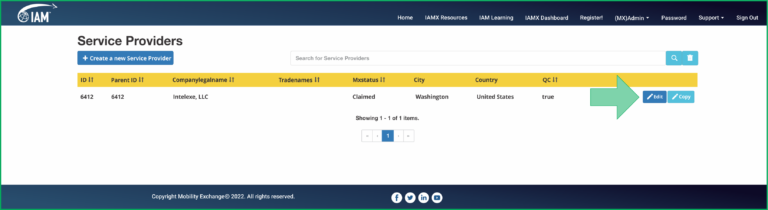
Identify the correct company in your list and click the "Edit" button on the right. This will take you to the edit mode of your company profile.
Accessing Your Invoices
View, download, and pay your IAM invoices directly from your company profile.
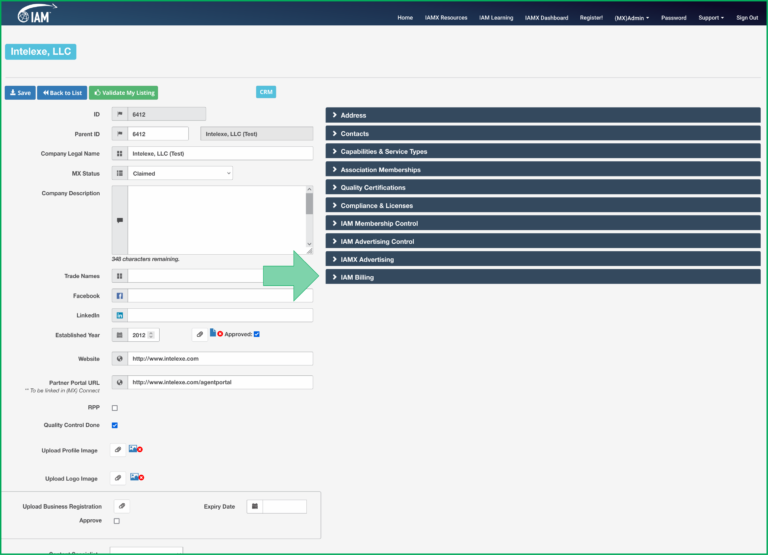
In your company profile's Edit mode, expand the "IAM Billing" tab located at the bottom right of the screen.
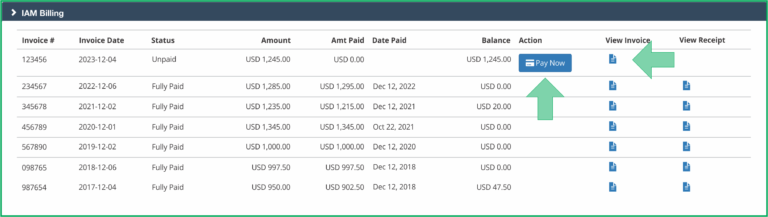
The tab will expand to reveal your IAM invoices. From here you can:
- Pay Now — complete your payment securely online by credit card through our integrated payment gateway. Paying by credit card avoids additional wire transfer and banking fees.
- View Invoice — click the document icon to review the invoice details.