

On this page
Congratulations on earning your IAMTrusted Moving Specialist designation. Share your achievement with industry colleagues and make it easy for others to verify your credentials.
Publishing Your Credentials to LinkedIn
Share your IAMTrusted designation directly to your LinkedIn profile.
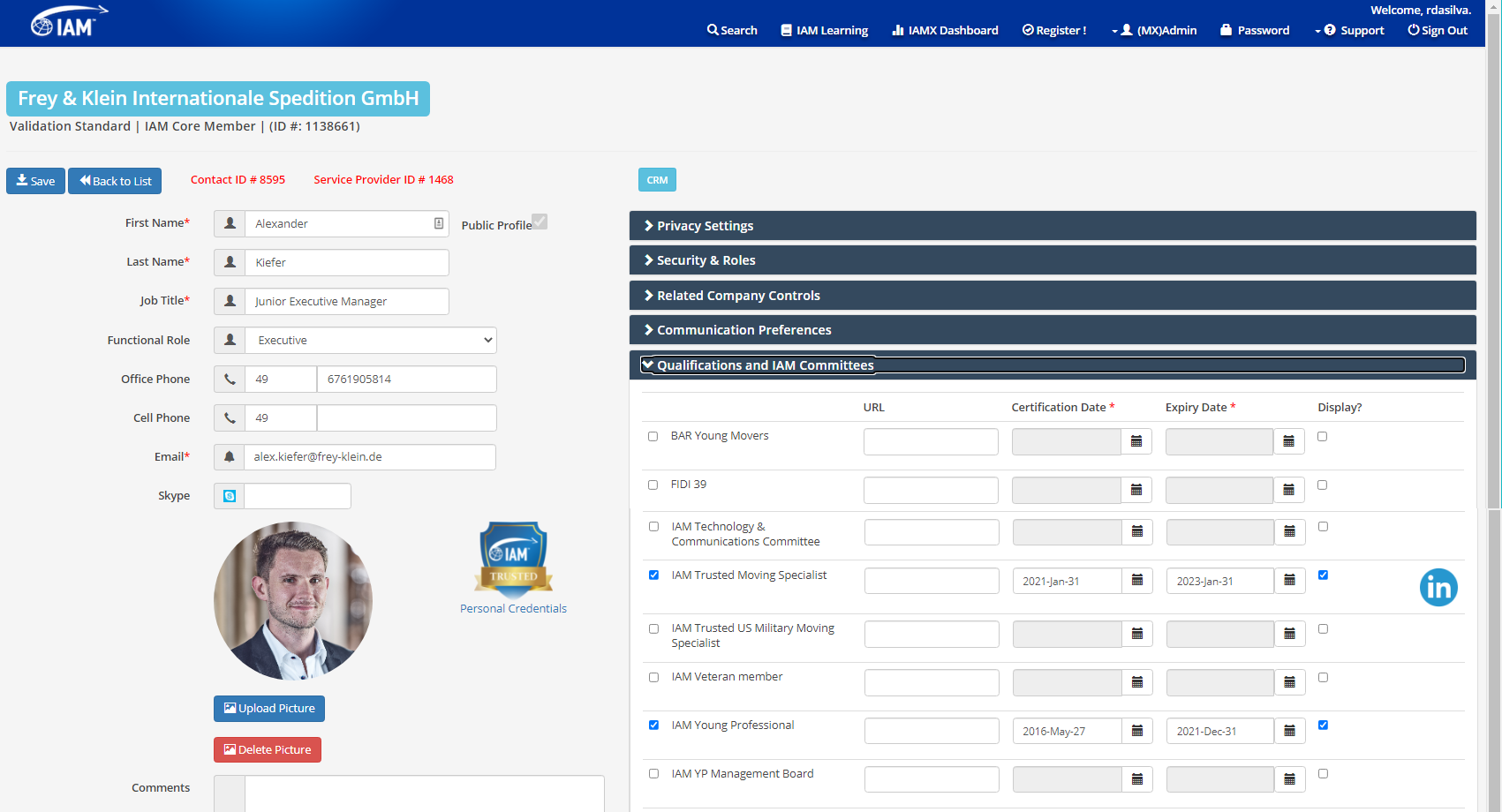
- Sign in to IAM Mobility Exchange (IAMX). If you have forgotten your password: Reset Password
- Click the "My Portal" option at the top of the page.
- Once at your profile, click on the "Qualifications and IAM Committees" section.
- Click the LinkedIn icon to the right of your IAMTrusted Credential.
- If you are signed in to LinkedIn, it will take you to your profile page. If not, you will be asked to sign in first.
- Follow the prompts to publish your credentials to your LinkedIn profile.
This feature is only available to IAMTrusted Moving Specialists and IAMTrusted Military Moving Specialists.
View the IAMTrusted Brand GuidelinesUsing the IAMTrusted Moving Specialist Logo
Download the official logos for use in your email signature and promotional materials.
Only IAMTrusted Moving Specialists and IAMTrusted Military Moving Specialists are permitted to feature these logos in their email signatures and other promotions.
| File | Download |
|---|---|
| IAMTrusted Moving Specialist — Full Size | Download |
| IAMTrusted Moving Specialist — Email Size | Download |
| IAMTrusted Military Moving Specialist — Full Size | Download |
| IAMTrusted Military Moving Specialist — Email Size | Download |
Getting Your IAMX Personal Credential Page URL
Find and share the direct link to your personal IAMX credential page.
Your personal credential page URL is a web address you can use to direct colleagues and customers to view your verified IAMX qualifications. Here are the steps to find it:
- Navigate to IAM Mobility Exchange.
- In the search bar on the right-hand side, start typing your name.
- Select your name from the dropdown list and click Search.
- Click on your company listing.
- Scroll down to where your IAMTrusted logo appears in the Contacts section.
- Click on the IAMTrusted logo.
- Copy the URL from the address bar.
- Paste this URL into any documentation, or link it to the IAMTrusted logo in your email signature.